Race Photo Sharing With QR Codes | No App
Set out one QR code at packet pickup, the finish line, and awards to collect runner photos fast. Keep race-day images in one private album. No app needed.
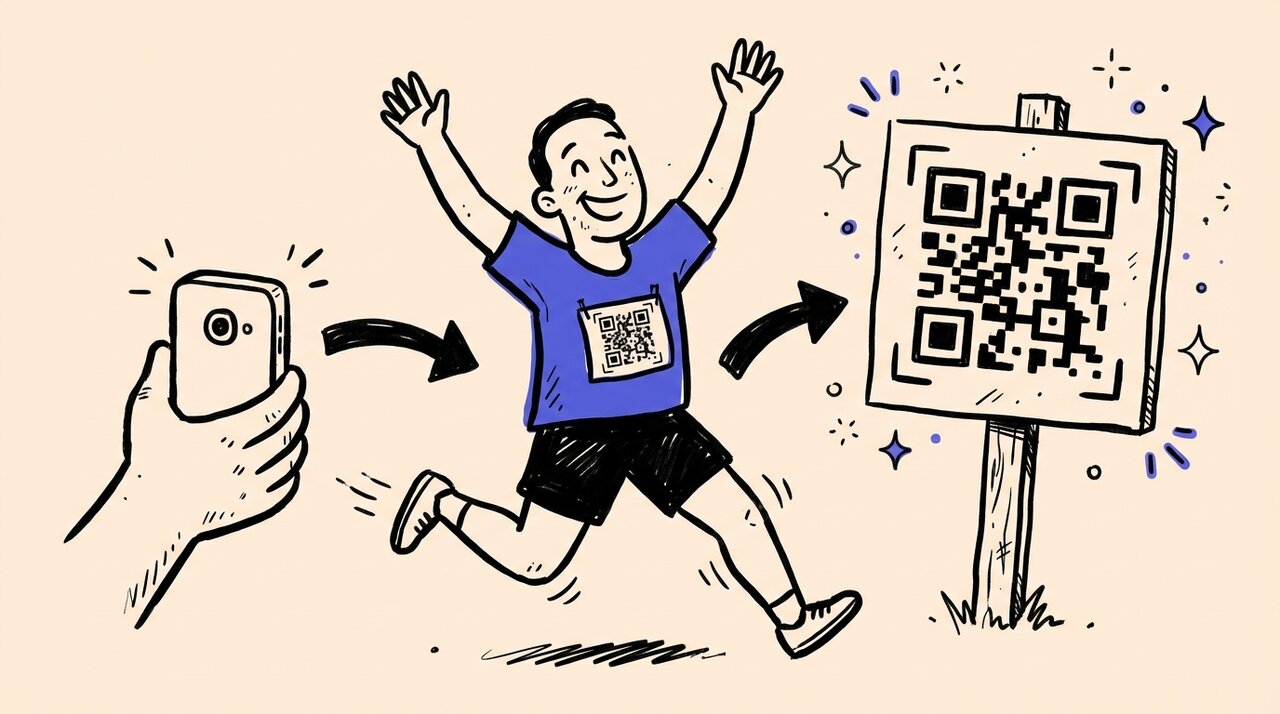
Short answer: Use one QR code across packet pickup, start corrals, the finish area, sponsor tents, and awards. Runners, spectators, and volunteers upload from their browser, so you collect the race-day moments official galleries miss without asking anyone to install an app.
- Collect crowd-sourced coverage from packet pickup to awards
- Works for 5Ks, half marathons, marathons, relays, and charity runs
- No app downloads or account creation for participants
- Tag photos by distance, team, sponsor, or course area
- Complements official race photography instead of replacing it
Who this is for (and not for)
This guide is for:
- Race directors who want more than finish-line shots
- Running clubs organizing local 5Ks, relays, and fun runs
- Event teams managing multi-distance race weekends
- Fundraiser organizers who need sponsor recaps and volunteer photos after the race
This is not for:
- Professional race photo search platforms with bib matching
- Virtual-only races with no in-person component
- Races under 50 participants where a shared text thread works fine
Why official race galleries never tell the whole story
Official photographers cover the start, finish, and a few anchor spots on course. That still leaves packet pickup, cheer zones, sponsor tents, volunteer crews, team photos, medal moments, and post-race celebrations happening on hundreds of phones.
Meanwhile, runners and spectators take plenty of photos people would love to see later. Those images end up scattered across Instagram stories, private text threads, and camera rolls that never make it back to the organizer.
How QR photo sharing works at races
- Create your race gallery before the event and generate your QR code
- Print QR signs for key locations across race day
- Runners, spectators, and volunteers scan and upload from their browser
- Photos flow into one central gallery in real time
- Review, tag, and export organized bundles afterward
Best QR sign placement at a race
Packet pickup: Every participant passes through. Print QR codes on signage or directly on race bibs.
Start line and corrals: Runners snap pre-race selfies and team photos. Place signs near wave corrals and pace group areas.
Finish area and awards: Peak emotions happen here. Put large signs immediately past the chute, at medal backdrops, and near the awards stage.
Sponsor and volunteer zones: Put signs where people naturally gather, like sponsor tents, team meetup spots, volunteer check-in, or the kids dash area.
On-course: For longer races, add signs at aid stations, scenic overlooks, and spectator-heavy sections.
Scaling from local 5Ks to marathon weekends
Local 5Ks: Start with one QR sign at the finish and a link in registration emails. Low-risk way to test participation.
Half marathons and marathons: Use team collaboration to assign co-hosts for different areas. Multiple volunteers can help moderate and tag incoming photos.
Multi-distance weekends: Create one central gallery with tags for each distance (5K, 10K, Half, Marathon) or separate sub-galleries linked from a main hub.
Charity runs and community fundraisers: Use guest consent and email capture if you want permission to reuse submitted photos in sponsor recaps, donor emails, or next year’s promotion.
Frequently asked questions
Do runners need to download an app? No. They scan the QR code and upload directly from their browser.
What if venue cell service is weak? Runners can upload later from home. Keep your upload window open for a few days after the race.
How do I organize photos from different distances or sponsors? Use tagging and moderation tools to sort by 5K, 10K, Half, Marathon, sponsor, or course area. Then download bundles by tag.
Does this replace our official race photographer? No. It works best as a complement. Official photographers cover the hero shots, while QR uploads help you collect the volunteer, spectator, team, and sponsor moments that usually get missed.
Can volunteers and course marshals contribute? Yes. Anyone with the QR code can upload. Aid station volunteers can add batches of action shots throughout the race.
How is this different from just using a hashtag? Hashtags scatter content across platforms and miss private accounts. QR galleries collect everything in one place you control.
Can I collect consent before people upload? Yes. Gather Shot supports consent and verified email capture before uploads begin, which helps when you want to reuse race-day photos in sponsor recaps or marketing later.
Summary and next steps
Use one QR code to collect the runner, spectator, volunteer, and sponsor moments that official galleries rarely cover on their own. Place signs at packet pickup, start corrals, the finish area, and awards so photos flow into one organized gallery instead of scattering across social platforms.
For a broader look at event photo strategies, see our event photo collection guide . Learn how Gather Shot works for race events .
Create your race gallery and start collecting more of race day.
Written by
Gather Shot TeamThe Gather Shot team writes guides, planning resources, and product updates that help event hosts and photographers collect guest photos without asking anyone to download an app.
Related articles
More practical guides selected from the same event photo sharing topics.
Charity Walk Run Ideas for 2026
Explore charity walk run ideas for 2026 with practical planning tips for nonprofits, schools, faith groups, and volunteer teams. Build with less chaos.
Jul 6·8 min read
How to Plan a 5K Fundraiser: A Complete Guide
Plan your community 5K fundraiser in 4-6 months. Covers permits, volunteers, promotion, and how to turn race-day photos into sponsor-ready follow-up.
Jan 7·5 min read
U.S. Open Tennis Party: Food, Drinks, Decor & Games
Plan a U.S. Open tennis party with Honey Deuce drinks, a mocktail recipe, easy food, games, themes, decorations, invitation tips, and a host timeline.
Aug 19·13 min read