How to Collect Photos from a Scout Ceremony and Reception
Collect Eagle Scout, Gold Award, and bridging ceremony photos from every family into one shared album. QR code setup, checklist, and planning tips included.
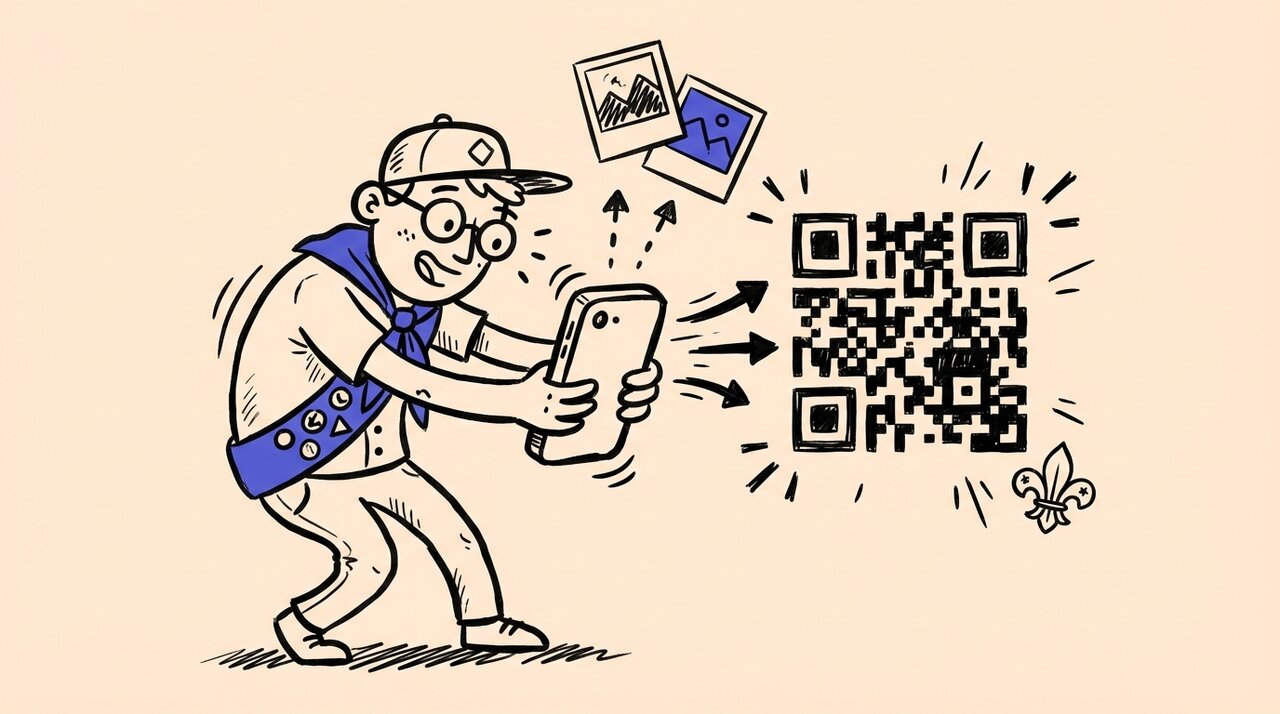
Short answer: Set up a shared photo album with a QR code before the ceremony, print the code on programs and table signs, and ask every family to scan and upload throughout the event. Guests upload directly from their phone browser with no app or account required. After the ceremony, send the album link one more time to catch any stragglers within 72 hours.
- Create your shared album and QR code at least one week before the ceremony
- Print the QR code on programs, table tents, and a sign at the entrance
- Assign one person to capture key formal moments (pinning, bridge crossing, mentor recognition)
- Ask guests to upload candids from the reception, service project boards, and family group shots
- Send a follow-up reminder within 24 hours so relatives at home can add older Scout photos too
Who this is for (and not for)
Scout ceremonies bring together a unique mix of people. Parents, grandparents, troop leaders, council representatives, mentors, and project volunteers all attend, and most of them take photos. The challenge is that those photos stay scattered across dozens of phones and never make it into one place.
This guide is for you if:
- You are planning an Eagle Scout court of honor, Girl Scout Gold Award celebration, or Cub Scout bridging ceremony
- Your event includes family members, troop leaders, and community guests who each capture different moments
- You want one organized photo album that covers ceremony, reception, and service project documentation
- You have older relatives or community leaders who need a simple way to share their photos
- You are a troop or pack leader coordinating a multi-family event like a Blue & Gold banquet with crossover
This is not for you if:
- You are hiring a professional photographer who will deliver a complete gallery (though you may still want guest candids)
- Your ceremony has fewer than 10 attendees and a group text works fine
- You need real-time video streaming rather than photo collection
What makes Scout ceremony photos hard to collect
Scout events are different from a typical birthday party or wedding in a few specific ways that make photo collection more complicated.
Multiple family groups, one ceremony
An Eagle Scout court of honor typically draws 25 to 80 people. A bridging ceremony folded into a Blue & Gold banquet can reach 100 or more. Each household takes a handful of photos, but no single family has the complete set. The parents get the pinning. Grandma gets the cake cutting. The Scoutmaster gets the group shot. The mentor gets the candid handshake. Without a shared album, those photos stay in separate camera rolls permanently.
Venues with limited connectivity
Scout ceremonies happen in church fellowship halls, camp lodges, school gyms, and outdoor pavilions. These venues often have weak WiFi or no WiFi at all. If your photo collection solution requires a strong internet connection during upload, test it at the venue beforehand. A platform like Gather Shot, a photo sharing platform for events, works through the phone’s browser and handles uploads over cellular data when WiFi is unreliable.
Older relatives and non-technical guests
Scout events tend to include grandparents, great-aunts, and community leaders who may not be comfortable with apps or cloud storage. A QR code that opens a browser upload page removes every barrier. No app store, no login, no account creation. If someone still struggles, share the direct URL by text so they can tap and upload.
The honoree disappears from candids
The Eagle Scout, Gold Award recipient, or Arrow of Light crossover Scout is often busy greeting guests, adjusting their uniform, or standing at the podium. Behind-the-scenes moments like arriving at the venue, reviewing the display table, or talking with mentors before the ceremony get missed unless someone is specifically assigned to capture them.
Ceremony photo checklist
Use this checklist to make sure you capture every important moment. Share it with whoever is handling formal photos so nothing gets missed.
Pre-ceremony setup
- Create a shared photo album on Gather Shot and generate your QR code
- Print the QR code on ceremony programs, table tents, and at least one poster-sized sign
- Test uploading a photo at the venue to confirm cell service works
- Photograph the display table before guests arrive (project binder, old uniforms, patches, congratulatory letters, candles, guest book)
- Capture the room setup, decorations, and any memory boards or slideshows
- Get a photo of the honoree arriving and reviewing the display
- Photograph the honoree with parents or guardians before the ceremony begins
During the ceremony
Eagle Scout court of honor:
- Color guard and opening
- Eagle badge presentation
- Parent pin presentation (parent pinning the Eagle badge on the Scout)
- Mentor pin presentation
- Eagle charge with other Eagle Scouts standing
- Reading of congratulatory letters or official presentations
- Honoree’s remarks at the podium
- Group photo with troop, family, and mentors immediately after
Girl Scout Gold Award celebration:
- Recipient standing with her Take Action project display
- Advisor or project partner describing the project’s impact
- Gold Award pin presentation
- Parent or advisor pin, if included
- Candlelight Promise and Law moment
- Recipient’s remarks about community impact
- Photo with community partner or project beneficiary
Cub Scout bridging / crossover:
- Arrow of Light lineup with parents behind them
- Flame of knowledge candle lighting
- Den Leader lighting the first taper candle
- Scout handshake with Den Leader before crossing
- The Scout pausing at the midpoint of the bridge or stage (the official Arrow of Light crossover script includes a built-in pause for photos)
- Scoutmaster or troop representative welcoming the Scout on the far side
- Neckerchief or insignia exchange
- Den Leader crossing last, if your pack follows that tradition
Reception activities
- Cake or cupcakes before they are cut
- Guest book signing
- Congratulatory letters, certificates, and cards on display
- Table centerpieces, memory boards, and service project boards
- Photos with grandparents, troop friends, project volunteers, and alumni
- Photos with council or district representatives and clergy (get these early, as official guests often leave right after speaking)
- Candid moments: laughter, hugs, the honoree reading letters
Service project documentation
These photos often exist on different phones from different dates. Ask project volunteers to upload them to the shared album before or after the ceremony.
Eagle service project:
- Before-and-after site photos
- Scout leading volunteers during workdays
- Completed project with the beneficiary
- Any plaque or sign dedication
Gold Award Take Action project:
- The problem being addressed (before photos)
- Planning sessions and partner meetings
- Implementation days with the team
- Evidence of ongoing community impact
- Final presentation or display board
Post-ceremony follow-up
- Send the album link or QR code again within 24 hours via text and email
- Ask for uploads within 72 hours while memories are fresh
- Use Gather Shot’s tagging feature to organize photos by moment: Ceremony, Reception, Service Project, Old Scout Photos, Family
- Remind older relatives that they can use the direct link (no QR scanner needed) to upload from home
- Download the full gallery for safekeeping before photos disappear into compressed group texts or social media comments
How Gather Shot fits into Scout ceremony photo collection
Gather Shot is a photo sharing platform for events that solves the specific challenges Scout families face. Here is how it works for a ceremony and reception.
One QR code for every family. Create your event on Gather Shot, and you get a unique QR code and link. Print it on programs and signs. Every guest, from the Scoutmaster to the great-aunt in the back row, scans and uploads from their phone browser. No app download, no account creation.
Tags for organizing by moment. Use Gather Shot’s custom tags to sort uploads into categories like “Ceremony,” “Reception,” “Service Project,” and “Throwback Photos.” When you download the gallery later, you can filter by tag and get organized ZIP bundles instead of one massive unsorted folder.
Moderation before sharing. You control what appears in the shared gallery. Review every upload before it goes public. This matters at Scout events where photos include minors from multiple families. Gather Shot lets you approve, hide, or remove any photo before other guests see it.
Works without strong WiFi. Gather Shot runs in the phone browser and handles uploads over cellular data. This is important for camp lodges, church basements, and outdoor pavilions where WiFi is spotty or nonexistent.
Live slideshow on a screen. If your venue has a TV or projector, open Gather Shot’s live slideshow feature on any browser-connected screen. Guest photos appear automatically as they are uploaded and approved. It adds energy to the reception and encourages more people to contribute.
No expiration pressure. Keep the upload window open for a few days after the ceremony. Relatives who want to add older Scout photos, project documentation, or photos from their own camera can upload at their own pace from home.
Planning timeline for Scout ceremony photo collection
Starting early makes photo collection run smoothly on the day of the event. Here is a simple timeline.
One week before:
- Create your Gather Shot event and generate the QR code
- Print QR codes on programs, table signs, and at least one large poster
- Send an email or text to families explaining how photo sharing will work
- Ask service project volunteers to gather their project photos
Day of the ceremony:
- Place QR code signs at the entrance, on the display table, and near the food
- Announce the shared album during opening remarks or in the printed program
- Assign one person to capture formal moments from the checklist above
- Remind guests verbally at least once during the reception to scan and upload
24 hours after:
- Send the album link by text and email with a short reminder
- Upload any formal photos you captured yourself
72 hours after:
- Send a final reminder for stragglers
- Tag and organize uploads in your Gather Shot dashboard
- Download the complete gallery
Real resources for planning your Scout ceremony
These official resources help with ceremony structure, scripts, and supply lists. Use them alongside this photo collection guide to plan both the event and the memories.
- Scouting America: Arrow of Light Crossover covers the official crossover script, supply list, and family involvement steps. Use this to time your photo assignments around the script’s built-in pauses. The crossover moment includes an explicit pause for families to take photos, which is the perfect time to remind guests about the shared album.
- Troop Leader Resources: Eagle Courts of Honor includes agenda templates, special guest guidance, and personalization ideas for Eagle ceremonies. The agenda template helps you identify which formal moments to add to your Scout ceremony photo checklist so nothing gets missed.
- Girl Scouts of Maine: Highest Awards Celebration Toolkit (PDF) offers concrete planning help for Gold Award celebrations, including format options, guest book ideas, and reception suggestions. The reception section is especially useful for deciding where to place QR code signage for collecting Scout ceremony photos.
Frequently asked questions
How many photos should I expect from a Scout ceremony with 50 guests?
In our experience, events with active QR code promotion tend to collect 100 to 300 Scout ceremony photos. Not every guest will upload, but the families who do tend to contribute 5 to 15 photos each. Adding a verbal reminder during the ceremony and placing signs near food and seating areas increases participation significantly.
Can I include photos from the service project that happened weeks or months ago?
Yes. Keep the Gather Shot upload window open and share the link with project volunteers, beneficiaries, and anyone who has earlier documentation. Use tags like “Service Project” or “Before and After” to keep these separate from ceremony day photos.
What if my venue has no WiFi?
Gather Shot works over cellular data. As long as guests have cell service, they can upload from their phone browser. If you are at a remote camp or lodge, test cellular signal strength during your venue visit. For areas with truly no signal, guests can take photos during the event and upload them later when they have connectivity.
Is this appropriate for events with minors from multiple families?
Yes, and this is one reason moderation matters. Gather Shot lets you review every upload before it appears in the shared gallery. You control what is visible, so you can remove any photo a family would not want shared. The gallery is private by default, and only people with the link can access it.
How do I get grandparents and older guests to upload their photos?
Print the QR code large enough to scan easily (at least 3 inches square), and include the direct URL below it for anyone who prefers to type a link. Gather Shot requires no app download and no account creation. For guests who truly cannot upload themselves, offer to add their photos for them. They can text or email photos to a designated family member who uploads on their behalf.
Can I use one album for both the ceremony and a separate reception at another location?
Yes. The same QR code and link work at both venues. Gather Shot is not tied to a physical location. Print the QR code at both the ceremony site and the reception venue, and all photos land in the same gallery. Use tags to label which photos came from which part of the day.
What happens to the photos after the event?
Your Gather Shot gallery stays available for as long as your plan is active. You can download the full gallery as a ZIP file at any time, filtered by tag if you want organized folders. Download originals before sharing compressed versions through group texts or social media so you keep the full-resolution files.
How much does it cost to set up a shared album for a Scout ceremony?
Gather Shot offers a free tier for small events. For larger ceremonies or events where you want features like moderation, custom tags, and bulk downloads, check the pricing page for current plan options. Plans are one-time purchases tied to your event, not monthly subscriptions.
Summary and next steps
Collecting photos from a Scout ceremony does not need to be complicated. Set up a shared album with a QR code before the event, print it on programs and signs, and let every family contribute from their phone browser. Use tags to organize by moment, moderate uploads for privacy, and download everything when you are done.
Gather Shot is built for exactly this kind of multi-family, multi-moment event. Guests scan a QR code and upload directly from their browser. No app, no account, no friction.
Ready to set up photo collection for your next Scout ceremony? Create your free Gather Shot event and generate your QR code in under two minutes. For a step-by-step walkthrough of QR code placement and signage, read our complete QR code photo collection setup guide .
You can also check out how other families use Gather Shot for graduation photo sharing and family reunion photo collection with QR codes .
Written by
Gather Shot TeamThe Gather Shot team writes guides, planning resources, and product updates that help event hosts and photographers collect guest photos without asking anyone to download an app.
Related articles
The Best Way to Host an Event and Collect RSVPs
Learn the easiest way to host an event and collect RSVPs with Mixily, a free ad-free RSVP platform. Plus tips for collecting event photos with Gather Shot.
Mar 31, 2026·7 min read
How to Collect Photos from Guests at a Housewarming Party
Turn your housewarming into a guest-generated home-tour gallery. Use QR codes, room-by-room photo prompts, and a live slideshow to collect every memory.
Mar 30, 2026·14 min read
Asbury Park Bachelorette Weekend Itinerary for Summer
Plan an Asbury Park bachelorette weekend with a smart summer itinerary, boardwalk-to-bar ideas, and easy photo sharing tips for your whole group in 2026.
Mar 29, 2026·17 min read