Christmas Light Scavenger Hunt: Printable & Photo Prompts
Plan a Christmas light scavenger hunt with a free printable spotting checklist, optional photo prompts, and walking or passenger-only rules. Pick your route.
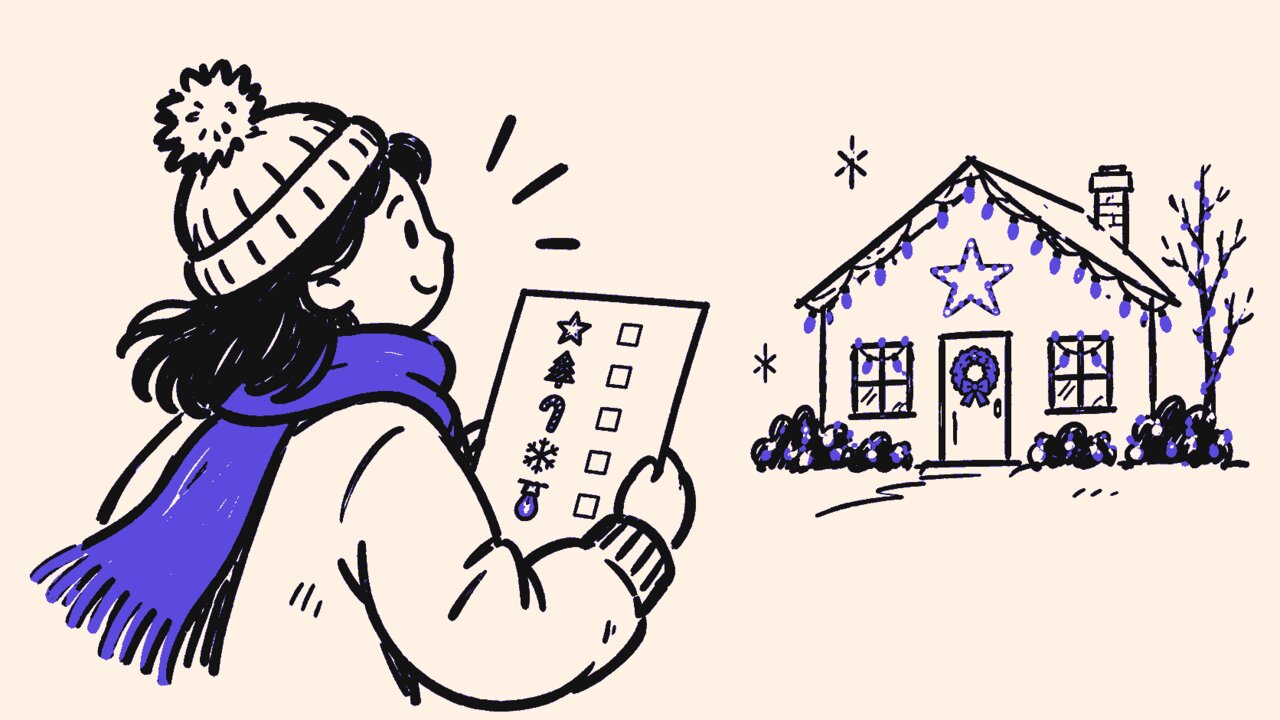
Short answer: Print or copy the Christmas light scavenger hunt checklist, choose six of its 12 spotting choices together, and allow about 20 to 30 minutes. There is no race or required photo proof; finish by sharing a favorite find, even if boxes remain empty.
- Paper is enough: no app, signup, purchase, or upload is needed to play.
- Choose your format: walk, play as passengers, or observe from one suitable location. Drivers never participate while driving.
- Check the route first: plan lawful viewing spots, access details, weather backup, and a finish point.
- Photos are optional: use the separate photo sheet only if your group wants it.
Open the free one-page spotting printable . For an optional camera activity, open the separate photo-prompt sheet . Both print on US Letter paper with no registration.
A Christmas light scavenger hunt works best when the route decides the game, not the other way around. You do not need a famous neighborhood, snow, synchronized music, or a ticketed light show. A few displays viewed from a suitable public location can supply several finds.
Who this is for (and not for)
This is a cooperative outdoor spotting game for people who want something to do while enjoying the lights. It gives the group a shared list without turning a family outing into a contest over who has the newest phone or spots decorations fastest.
It suits:
- Families with mixed ages sharing one paper list.
- Small groups who want a short walk with a defined finish.
- Passengers with a designated driver who has no game responsibilities.
- People choosing a stationary viewing spot or descriptions from a companion.
It is not a driving challenge, a race between neighborhoods, or a game that needs photographic evidence. It is also not a reason to continue an outing when weather, fatigue, sensory exposure, or the route makes someone uncomfortable.
Ask participants which format works for them before choosing the route. Reading clues aloud, marking someone else’s sheet, describing a shape, and stopping early all belong in the rules, rather than being exceptions someone must request in public. For an indoor gathering instead, use our holiday party photo scavenger hunt prompts . That guide covers party moments; this one stays focused on outdoor displays.
Print your Christmas light scavenger hunt checklist
The Christmas lights scavenger hunt printable contains the same 12 choices below. Circle six before starting, then check them together as you find them. A companion’s description counts, and one display can satisfy several choices. Nothing has to blink, change color, or match a particular character.
- A line of lights that bends around a corner.
- Lights forming a circle.
- A curved or arch-shaped light outline.
- Lights outlining a triangle.
- Lights wrapped around a tree trunk.
- Lit branches reaching in different directions.
- Strands of lights hanging downward.
- Two matching illuminated shapes.
- A small lit shape beside a larger one.
- Straight and curved light lines in the same display.
- A lit animal-shaped outline.
- A group favorite you can describe in one sentence.
These are choices, not a promise about what your neighborhood contains. If a selected item is absent, swap it for another, describe a different detail, or leave it unchecked. For example, one tree might supply the wrapped trunk, spreading branches, and group favorite. You do not need three separate houses.
Print only the spotting page if that is all you want. Use your browser’s Print command, choose Letter portrait, and turn off browser headers and footers. There is space to write the finish point and favorite find. For larger text, use browser zoom or print an enlarged version across additional pages rather than squeezing the type smaller. You can also copy six choices onto a blank sheet or have someone read this list aloud.
Choose walking, passenger-only, or stationary play
Set a comfortable time window rather than a deadline to beat. Twenty to thirty minutes is a suggested game length, not a safe exposure limit. Choose fewer prompts or a shorter session whenever that suits your group.
| Format | How to play | Boundary |
|---|---|---|
| Walking | Look together and pause at safe stopping places to mark finds. | Put the game aside at crossings and driveways. Keep paths clear. |
| Passenger-only | Passengers quietly notice shapes, then record finds at a planned parking stop or after arrival. | Drivers never search, read prompts, score, photograph, or settle game questions while driving. |
| Stationary | Find several features from one suitable public viewing location. | Check the approach, seating, exposure, and exit route; stationary does not automatically mean accessible. |
For walking play, name an adult responsible for supervising children. The reader and recorder can be different people, but game roles do not replace traffic awareness. Stop before looking down to write or frame a photograph.
For car play, set the route before departure. Everyone stays properly restrained, and passengers do not shout finds to the driver or request sudden turns or stops. Take photos and mark the sheet only when legally parked, never while waiting at a traffic light. NHTSA notes that even conversations with passengers can distract a driver . Pause the game if it interferes with driving.
At the agreed finish point, spend two minutes sharing one favorite find or a drawing. Anyone may pass. There are no speed prizes, and an unfinished sheet still counts as a completed outing.
Plan the route, weather backup, and access details
Check viewing places before writing the invitation
Choose a short route you know, then inspect its current conditions. Write down the start, finish, approximate distance, crossings, and places where someone can leave early. Check sidewalks, slopes, steps, curb cuts, construction, seating, restrooms, and parking rather than labeling the outing “accessible” without details.
NHTSA’s pedestrian guidance recommends sidewalks, crossings at intersections or crosswalks, and watching for vehicles at driveways. If your proposed route has no suitable pedestrian space, choose another location or format. Reflective clothing and a flashlight can help others notice you; do not shine lights toward drivers or into homes.
Stay on lawful public viewing routes or locations where you have permission. A decorated house is not an invitation to enter its yard, driveway, porch, or private road. Do not touch decorations, peer through windows, ring doorbells, or block driveways and curb ramps. Check venue rules before choosing a managed display; do not assume admission, opening hours, or photography permission.
Make weather and sensory alternatives real options
Check forecasts, warnings, traffic reports, and sidewalk conditions shortly before leaving. FEMA recommends postponing nonessential travel when roads are in poor condition . Ice, poor visibility, unsafe travel, or an unsuitable route are reasons to postpone this outing, not reasons to hurry through it. Dress for conditions and name a warm finish point; anyone can stop sooner.
Ask about sensory needs before choosing displays. Flashing lights and patterns can trigger symptoms for some people, and the Epilepsy Foundation notes that passengers can also encounter flickering-light triggers . A car is not protection, and a host cannot guarantee that private displays will stay unchanged.
Offer a no-outing version using still pictures the group already has permission to use, drawings, or spoken descriptions. Do not substitute an autoplaying light-show video. Use high-contrast text and shape-based clues rather than requiring exact color recognition. Someone can describe the display while another person marks the sheet, with no requirement to see or photograph it personally.
Add optional Christmas lights photo challenges
Treat the Christmas lights photo challenge as a separate creative activity, not evidence for the spotting checklist. Choose any of the six prompts below, or none. One display can serve several compositions, and nobody gets extra credit for carrying a camera.
- Roofline panorama: Frame a lit roofline across the lower half of a horizontal photo, with sky above.
- Tall-tree portrait: Turn the phone vertically and frame a lit outdoor tree from base to top, if it fits from your safe viewing spot.
- Repeating shapes: Include three matching illuminated shapes in one picture.
- Big and small: Put a larger decoration and a smaller one together in the frame.
- Balanced pair: Frame two decorations with an open space between them.
- Space to glow: Place one lit decoration to the side, leaving dark sky beside it.
Print the optional photo sheet separately so people who want a spotting list do not have to carry camera instructions. If a composition would require entering property, crossing unsafely, or blocking a path, skip it. Adjust the framing from where you are instead of moving closer to the display.
Walkers stop at a safe place before taking pictures. Passengers wait until legally parked, and drivers do not participate while driving. Keep people, house numbers, and license plates out of shared images where possible. Ask before photographing companions and before sharing their pictures. A description or drawing is an equal alternative; there is no reason to post a family’s route or a home’s precise location to prove completion.
How Gather Shot fits into this
Gather Shot is a photo sharing platform for events. The paper checklist is the whole spotting game; Gather Shot is useful only if your group also wants a shared place for optional photo prompts and uploads. A small household may prefer to keep a few pictures on one phone.
For a larger gathering, Interactive Scavenger Hunts lets you add your chosen photo prompts. Guests open an event QR code or link in their browser, choose a prompt, and upload without downloading an app or creating a guest account. Hosts review responses by prompt. Hunts are included in Pro and the free trial, with an optional add-on for Basic.
Keep the spotting list separate: personal prompt completion in Gather Shot is not a judged score or proof that someone completed the paper activity. Hosts handle any scoring themselves, and this cooperative version needs none. Check moderation and gallery-access settings before inviting people to share, particularly when children appear in pictures.
Uploads need internet access. With poor reception, use the paper sheet and phone camera, then manually upload after reconnecting while the hunt and upload window are open. Do not rely on automatic offline uploads. Our event photo collection guide compares ways to collect the optional pictures afterward.
Frequently asked questions
What if I do not have a printer?
Copy six choices onto paper, save the list before leaving, or have someone read it aloud. No printed branding, QR code, signup, or proof of completion is required. Passengers can record remembered finds after arrival.
Can we play without a phone or without taking photos?
Yes. The spotting checklist is a complete activity. The separate six-photo sheet is optional, and skipping it changes neither the rules nor the ending. Spoken descriptions and drawings count too.
What if our neighborhood has very few displays?
Let one display satisfy several choices, use fewer choices, or play from one suitable viewing location. Do not extend the route or enter private property to fill a box. Leave items unchecked if needed.
How should we adapt this for younger children?
Read the clues aloud, let an adult mark the sheet, and shorten the outing. Choose familiar shapes instead of distant details. Keep children with their supervising adult, and pause the game completely at crossings.
What should we do about flashing displays?
Skip them and choose another location or a no-lights activity. Do not make tolerating a display part of the challenge. Participants with photosensitivity should follow their own medical guidance; this checklist cannot determine a safe exposure.
Can we upload optional photos after returning home?
Yes, when connected and while your Gather Shot hunt and upload window remain open. Take photos with the phone camera first and submit them manually later. The paper game does not depend on successful uploads.
Summary and next steps
For this Christmas light scavenger hunt, start with a route your group can comfortably use and six spotting choices. Bring a pencil, agree on the finish point, and make changing plans part of the rules. The goal is to notice a few details together, not complete every box or travel farther than anyone wants.
Print the spotting checklist and leave the photo sheet behind unless someone wants it. Before departure, check weather and current access conditions, confirm who supervises children, and remind everyone that drivers never participate while driving. End with a favorite-find conversation at your agreed warm finish point, whether the group found two shapes or twelve.
If the outing leads into a larger celebration, see photo-sharing options for holiday parties and our party photo sharing guide . Decide who should see any pictures before collecting them. For a spotting-only evening, there is nothing to set up online and nothing to upload afterward.
Written by
Gather Shot TeamThe Gather Shot team writes guides, planning resources, and product updates that help event hosts and photographers collect guest photos without asking anyone to download an app.
Related articles
More practical guides selected from the same event photo sharing topics.
Thanksgiving Photo Scavenger Hunt for Families
Run a Thanksgiving photo scavenger hunt with recipe memories, old-photo recreations, seated and no-camera options. Get the printable family activity sheet.
Oct 6·13 min read
U.S. Open Tennis Party: Food, Drinks, Decor & Games
Plan a U.S. Open tennis party with Honey Deuce drinks, a mocktail recipe, easy food, games, themes, decorations, invitation tips, and a host timeline.
Aug 19·13 min read
Halloween Photo Scavenger Hunt: 30 Prompts
Plan a Halloween photo scavenger hunt with 30 prompts for parties, offices, and neighborhoods, plus setup, safety, team formats, awards, and QR sharing.
Aug 17·14 min read