How to Plan a Trunk or Treat: Ideas and Checklist
Learn how to plan a trunk or treat with an easy timeline, volunteer roles, creative themes, games, photo ideas, and practical day-of checklists.
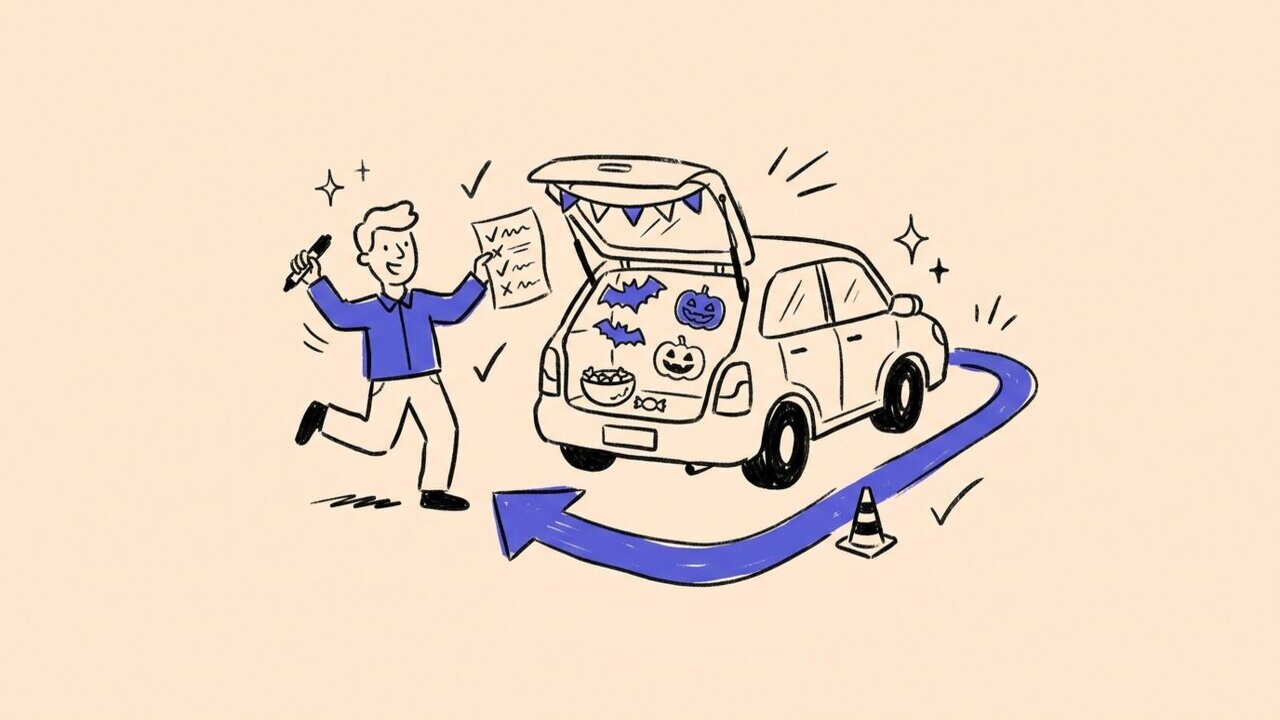
Short answer: Start six to eight weeks ahead, choose a simple parking-lot flow, and give each major job one owner. Recruit trunk hosts early, offer a mix of treats and optional activities, decide how guests will share photos, and settle the weather backup before event day.
- Plan the guest route first. Decide where families enter, how they move through the trunks, and where they exit.
- Keep parked trunks together. Finish vehicle setup before families arrive and wait until the event closes to move them.
- Make participation flexible. Offer an accessible route, a low-sensory period, non-food choices, and games that are always optional.
- Make photos opt-in. Tell families how event photos will be collected and shared.
- Use short checklists. Give each lead only the tasks they own before, during, and after the event.
Good trunk or treat ideas do more than fill a parking lot with decorations. For 100 to 500 attendees, the plan needs clear ownership, an easy route, inclusive choices, and manageable jobs for volunteers.
Who this guide is for (and not for)
This guide is for:
- A church trunk or treat or community nonprofit gathering
- A school trunk or treat organized by staff or a PTO
- A private-property event with registered display vehicles
- A crowd of about 100 to 500 people, with children attending alongside parents or designated guardians
Use a different planning process for:
- Public-road closures or unattended child drop-off
- Rides, fireworks, alcohol, or food vendors
- Crowds beyond the venue’s normal capacity
Those additions require event-specific planning beyond this guide. Confirm venue requirements with the people responsible for the property and event before opening registration. For a fundraising version, pair this checklist with Gather Shot’s nonprofit event use case , which covers photo collection for donors and volunteers. For a broader community-event framework, see the neighborhood block party checklist .
Keep family supervision and the event format clear in every invitation.
The recommendations below focus on event flow, volunteer workload, guest experience, and photo collection.
How to plan a trunk or treat step by step
Start with approvals, then recruit. This order prevents volunteers from building trunks for a plan the venue cannot support.
- 6 to 8 weeks, event lead: Set the date, lot, attendance cap, budget, approvals, restrooms, lighting, and weather backup.
- 4 to 6 weeks, workstream leads: Open vehicle registration, build the role roster, draft family communication, name an accommodation contact, and approve the photo policy.
- 2 to 4 weeks, site lead: Finish the lot map, signs, treat plan, volunteer station cards, and event contact list.
- Final week, all leads: Complete the after-dark walkthrough, route test, briefing, QR test, and go-or-postpone message.
Assign owners. Name leads for the event, site, registered vehicles, volunteers, treats and activities, weather communication, and photo moderation. Smaller events can combine planning jobs, but avoid giving one person several day-of stations.
Register vehicles and volunteers. Record each trunk host’s name, phone, license plate, vehicle size, theme, power needs, arrival window, and agreement to stay parked. Give every event volunteer a card with one station, one shift, one escalation contact, and a replacement process.
Set a scope gate two weeks out. If check-in, the vehicle entrance, the guest route, activities, and volunteer breaks are covered, extras can proceed. If not, remove staffed add-ons. An indoor table-or-treat can be the weather backup. Do not improvise a drive-through and pedestrian event in the same lane.
Plan a smooth parking-lot flow
Map the route before assigning trunks.
Draw three movements on one map: display-vehicle load-in, family arrival and parking, and the walking route between trunks. Keep guest parking and pickup outside the display loop, and make sure the route can comfortably accommodate strollers and mobility devices.
Stagger trunk-host arrival.
Give trunk hosts staggered arrival times and assigned spaces. Finish load-in before the advertised start time, keep late vehicles outside the display loop, and tell hosts in advance that vehicles stay parked until the event closes. A simple one-way walking route makes the experience easier to understand and helps spread guests across the trunks.
Make every turn obvious.
Place visible volunteers at the entrance, exit, and any turn that is not obvious. Use signs, cones, or other venue-approved markers to separate the display area from guest parking. If the route develops a long line, open a second starting point or invite families to begin at different numbered trunks.
Close the loop before packing up.
At closing, stop new entry and give families time to leave the display loop before hosts begin packing up. The venue and event leads should set any site-specific parking or traffic procedures.
Make treats and activities welcoming
Ask trunk hosts to follow one clear treat policy. Many organizers choose individually wrapped treats and keep the larger packaging available so families can check labels. Offer a separate bowl of non-food choices such as stickers, pencils, or glow bracelets, and avoid describing any station as “allergy-free.”
Schools, churches, and community groups should use their existing policies rather than creating a new process for one event. Include a short note in the invitation explaining the treat format and whether families should expect non-food options.
Walk the route after decorations are installed. Look for cords, props, or signs that narrow the path. Add a few seats, keep treat handoffs within easy reach, share announcements visually and aloud, and name one contact who can answer accommodation questions before the event.
Offer a quieter opening period with no amplified music, strobes, fog, masks at face-to-face stations, or jump scares. Publish an experience forecast covering noise, lighting, walking surfaces, seating, restrooms, and easy exits. No child should need to speak, wear a costume, play a game, pose for a photo, or scan a QR code to receive a treat.
Pick themes and trunk or treat games that improve flow
Choose four to six concepts that volunteers can execute without building movie sets. A trunk host working alone should hand out treats, not run a game at the same time.
- Pumpkin Transit Authority. Give families one of two colored starting points around the same loop. Matching symbols at each stop spreads arrivals without making children race.
- Night-Shift Nature Lab. Use bats, moths, owls, and moon shapes with tactile matching cards. The activity works seated and without photography.
- The Missing Neighborhood Mascot. Place six object clues in any order, then collect answers at the exit. Independent clues prevent one long game line.
- Community Time Capsule. Families draw one hope for their community. Photograph the contributions instead of the children for a privacy-friendly recap.
- Galaxy Waystation. Planets and star targets feel timely after 2026’s The Super Mario Galaxy Movie . Use generic space art rather than logos or an implied affiliation.
- Toy Meets Tech Repair Depot. Children draw an upgrade for a favorite toy, a light connection to the official Toy Story 5 premise . The invention activity will still work after 2026.
Good trunk or treat games are quick to understand and easy to skip. Avoid activities that create bottlenecks or require every child to perform. For a photo scavenger hunt, use object prompts such as “three orange shapes” or “a friendly ghost.” Our event photo scavenger hunt guide has more prompt formats.
Set a family-friendly photo and QR plan
Decide whether photos are for a restricted family gallery, an internal recap, a newsletter, or public social media. These are different uses. A guest’s upload does not establish permission to publish every child shown.
Use the organization’s existing photo policy and tell families how photos will be collected, who can view them, and where to request removal. A staffed, opt-in portrait area is easier for families to understand than roaming photography. If the organization uses a no-photo indicator, make sure photographers and gallery moderators know what it means.
Keep captions and scavenger-hunt prompts focused on costumes, decorations, and groups who choose to participate. Avoid asking guests to add children’s full names or other identifying details. Assign an adult moderator before uploads appear in a shared display or public recap.
Place QR codes where adults naturally pause: registration confirmation, check-in, the staffed portrait area, an activity table, and the exit. Repeat the same short upload instruction at each point so guests know which event gallery they are joining. The host organization remains responsible for deciding its photo rules and communicating them to families.
Use this day-of and next-day trunk or treat checklist
The event lead owns the master trunk or treat checklist, while each lead initials only their section. That keeps responsibility visible without expecting one volunteer to remember everything.
Before opening:
- Complete trunk-host check-in and close the display area to arriving vehicles.
- Walk the guest route after decorations are installed.
- Check lighting, restrooms, signs, weather, and volunteer communications.
- Stage separate food and non-food stock with labels available.
- Brief volunteers on their stations, breaks, weather message, photo policy, and event contact.
- Test QR codes and moderation, then hold a ten-minute lead huddle.
While open and at closing: Keep the main stations staffed, refill centrally, watch for congestion and weather changes, and keep display vehicles stationary. Stop new entry before closing and give families time to clear the display loop before hosts pack up.
The next day: Return equipment, handle lost property, thank volunteers, and review a three-question survey: Where did families wait? Which role lacked relief? What should be removed next time? Review photos before publishing the recap, honor removal requests, and save attendance, supply use, and staffing notes for next year.
How Gather Shot fits into the photo plan
Gather Shot is a photo sharing platform for events. Adult guests can scan one QR code and upload photos or videos in their browser without creating a guest account. Galleries are private by default, and hosts can review uploads before approving them for display. See how browser-based photo collection works and review the verified privacy and moderation controls .
For a decor-focused photo hunt, Gather Shot supports up to 15 scavenger hunt prompts . Keep prompts focused on objects, groups who choose to participate, and the staffed portrait area. The broader event photo collection guide can help organizers compare collection methods and QR placement.
Hosts can add custom upload terms and choose what appears in the gallery. Gather Shot supports the collection and moderation workflow, while the host organization sets its event photo policy and communicates it to families.
Use the same event QR code on check-in signs, activity cards, and the exit reminder so guests always reach the correct gallery.
Frequently asked questions
These answers cover common planning questions. Adapt the details to the venue, audience, and volunteers you have.
How many trunks do I need for 100 to 500 attendees?
There is no single universal ratio. Base the number on registered hosts, usable route space, expected children, treats per stop, and arrival pattern. A shorter, well-spaced loop is better than squeezing in extra cars.
How many volunteers should a trunk-or-treat have?
Count every concurrently staffed entrance, check-in point, activity, and event zone, then add planned breaks. Do not use attendance alone. Trunk hosts are not available for other jobs while distributing treats.
How do you keep the trunk-or-treat route moving?
Use a one-way loop, stagger trunk-host arrival, and finish vehicle setup before families enter. If lines build, let guests begin at two different points instead of adding a complicated game or checkpoint.
What are easy trunk-or-treat activities for volunteers?
Choose activities that take less than a minute and do not need a separate scorekeeper. Object hunts, decorate-a-pumpkin coloring sheets, simple toss games, and a community time-capsule wall all work without slowing treat distribution.
How should organizers collect trunk-or-treat photos?
Post one event QR code at adult-facing stops, explain who can view the gallery, and moderate uploads before using them in a public recap. Object-based scavenger-hunt prompts and an opt-in portrait station make participation clear.
Can organizers post trunk-or-treat photos online?
Check the host organization’s existing photo policy before publishing a recap. Tell families how images will be used, offer opt-out and removal routes, avoid identifying details, and moderate every selection before it is shared publicly.
Summary and next steps
The best answer to how to plan a trunk or treat is to control scope before adding spectacle. First, name the event, site, vehicle, volunteer, activity, and photo owners. Second, approve the lot layout and weather backup. Third, open vehicle registration with clear arrival, treat, and photo expectations.
Then cover the main stations and volunteer breaks before approving optional attractions. Families will remember a welcoming route, clear expectations, and adults who knew their jobs more than an overloaded schedule. Set up photo collection after the host confirms its photo policy, then put QR codes where adults can stop without blocking the route.
Before announcing the event, walk the site with the venue and event leads. Give families one concise message covering arrival, supervision, accommodations, treats, weather, and photos. Give volunteers a different message covering their station, shift, event contact, and release time. Clear instructions reduce day-of questions and protect the limited attention of your lead team.
Written by
Gather Shot TeamThe Gather Shot team writes guides, planning resources, and product updates that help event hosts and photographers collect guest photos without asking anyone to download an app.
Related articles
More practical guides selected from the same event photo sharing topics.
U.S. Open Tennis Party: Food, Drinks, Decor & Games
Plan a U.S. Open tennis party with Honey Deuce drinks, a mocktail recipe, easy food, games, themes, decorations, invitation tips, and a host timeline.
Aug 19·13 min read
Halloween Photo Scavenger Hunt: 30 Prompts
Plan a Halloween photo scavenger hunt with 30 prompts for parties, offices, and neighborhoods, plus setup, safety, team formats, awards, and QR sharing.
Aug 17·13 min read
NFL Kickoff Party Ideas for the 2026 Season
Find NFL kickoff party ideas for 2026, choose the right Week 1 game, and plan thoughtful food, drinks, activities, and photo sharing for every guest together.
Aug 17·13 min read